My Designs



Encouraging Familes to Read Aloud
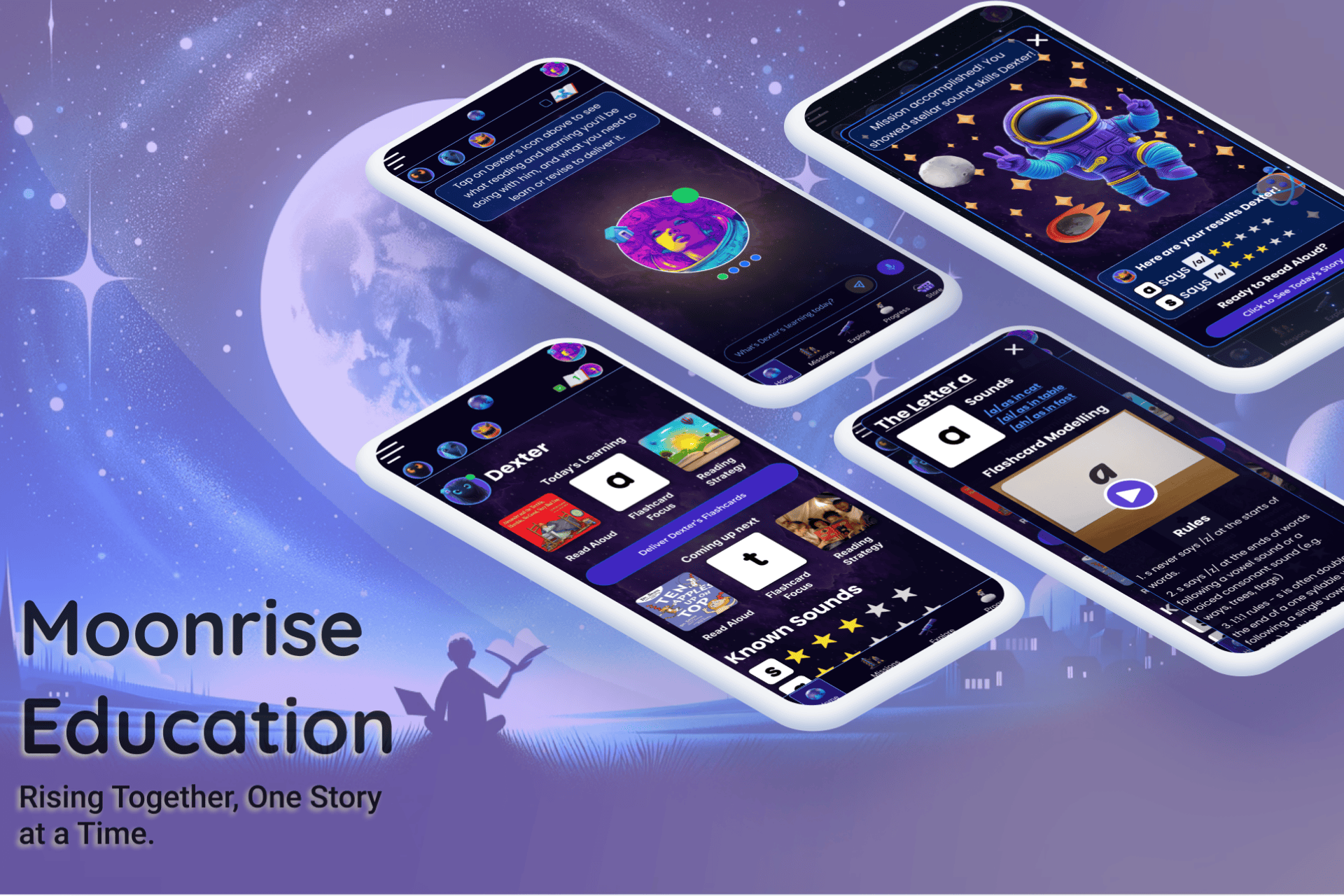
Moonrise Education
A literacy coaching app to upskill parents in synthetic phonics and teach critical reading skills during bedtime stories.
Services Rendered:
UX/UI design, Branding & Marketing, Content Creation, Development
Industry:
Education Technology
Tools:
Figma, Figjam, Canva, Midjourney, Bubble, Google Suite,
http://www.moonriseeducation.com
Empathize
I conducted an extensive literature review, online surveys, 1:1 interviews, a competitive analysis and online surveys to determine that there is a significant need for additional support to aid families in helping young kids develop sound reading skills.
Users




Pain Points

Maintaining a regular read aloud habit is hard.

Parents are unfamiliar with phonics-based approaches.

Most parents are time poor and resource limited.

Parents are confused by conflicting ‘evidence’ on teaching reading.
Ideate
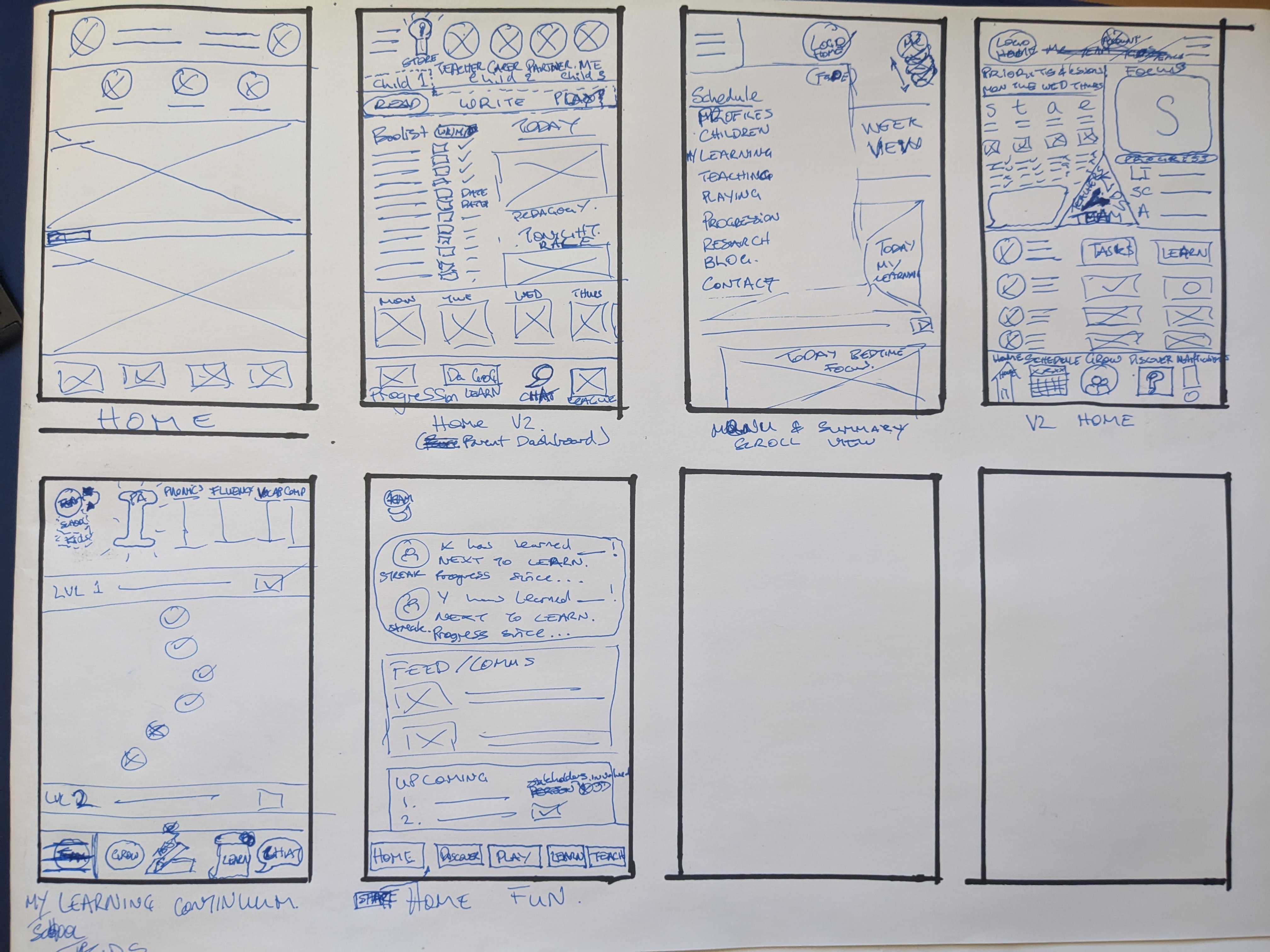
To devise appropriate solutions I:
- Conducted creative brainstorming sessions, transforming research insights into a range of innovative solutions.
- Explored multiple paper and digital wireframes to tackle decision fatigue and simplify learning.
- Generated ideas aimed at making literacy instruction accessible and engaging
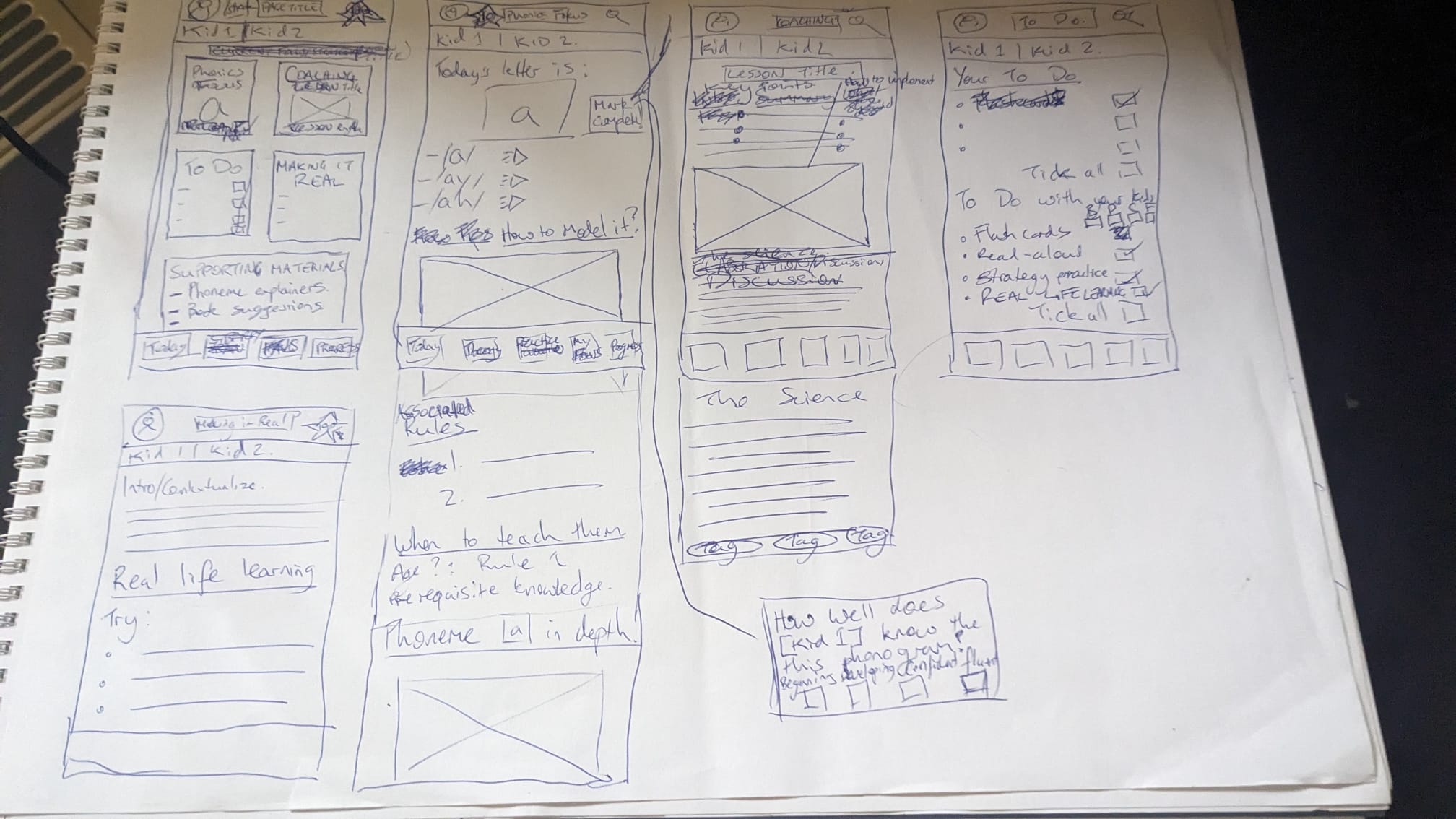
My research indicated that:
- Even most time poor parents want to commit around 30-60 minutes a day to their kids' education.
- Access to relevant research, instructional materials and resources is crucial for upskilling parents.
- With the right support, most parents feel they can provide effective literacy instruction.
I used these foundational concepts to generate three possible ideas for supporting parents:
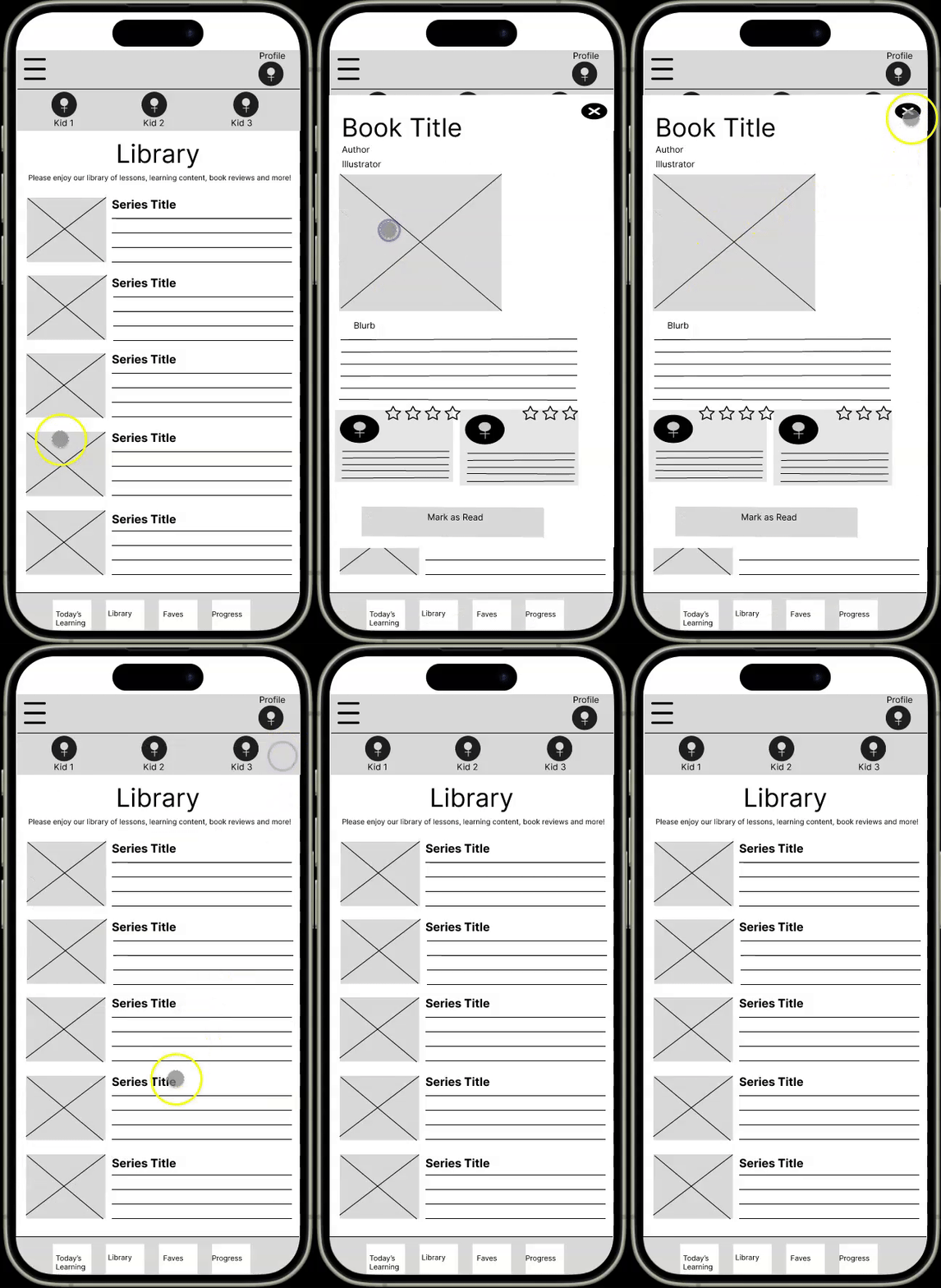
Encouraging Read-alouds
To encourage regular reading aloud I created a library interface of age appropriate books.
Feedback
The feedback from this was positive, but parents asked for daily book suggestions so they didn't have to search for what to read.
Flashcard Delivery
Recognizing that not all parents are confident with English or can afford physical resources, I created a flashcard interface to deliver level-appropriate letters and their sounds.
Feedback
Whilst parents though this was useful, most parents said they'd prefer not to be getting their phones out during read aloud time.
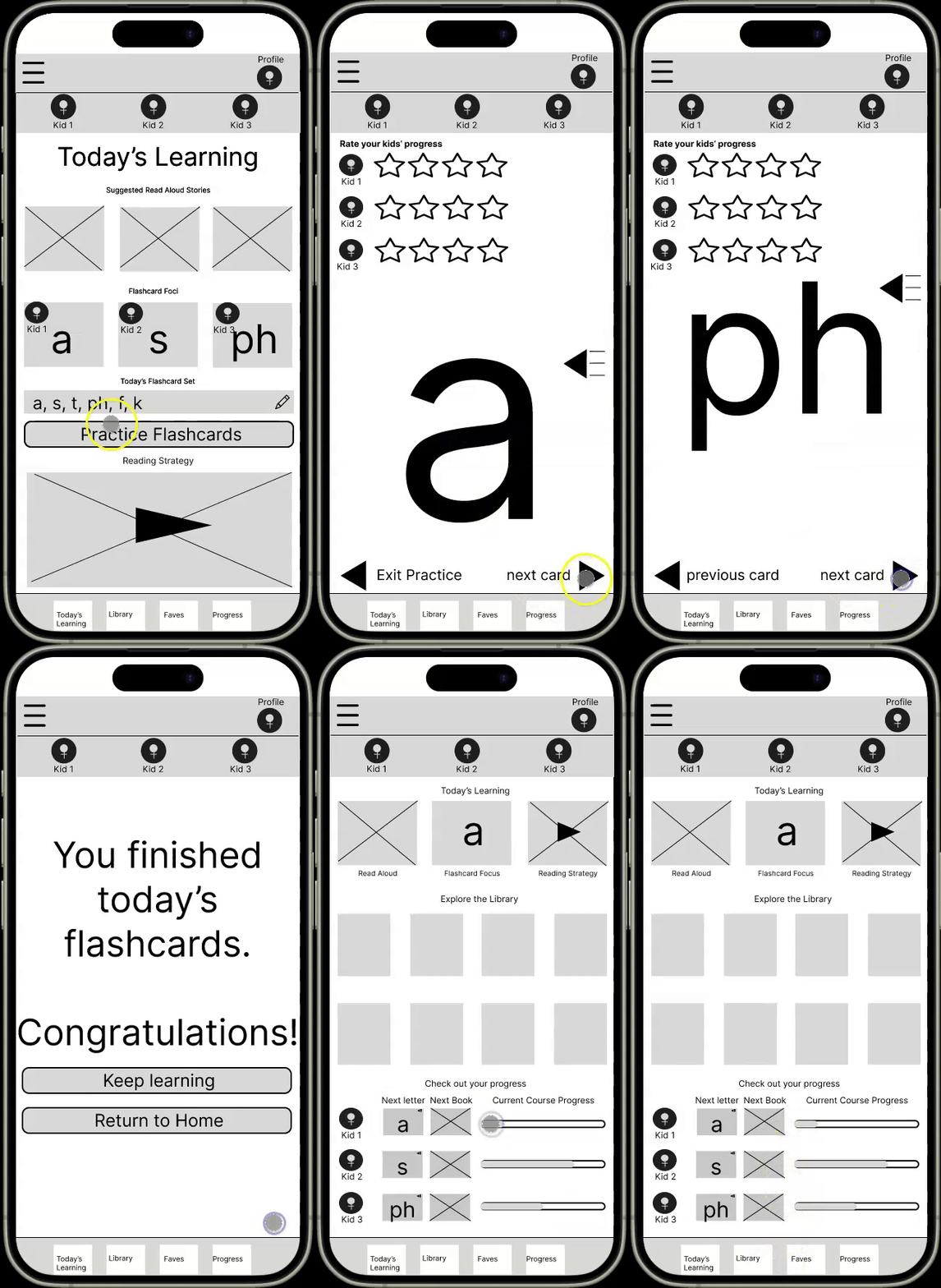
Flashcard Delivery
Recognizing that not all parents are confident with English or can afford physical resources, I created a flashcard interface to deliver level-appropriate letters and their sounds.
Feedback
Whilst parents though this was useful, most parents said they'd prefer not to be getting their phones out during read aloud time.
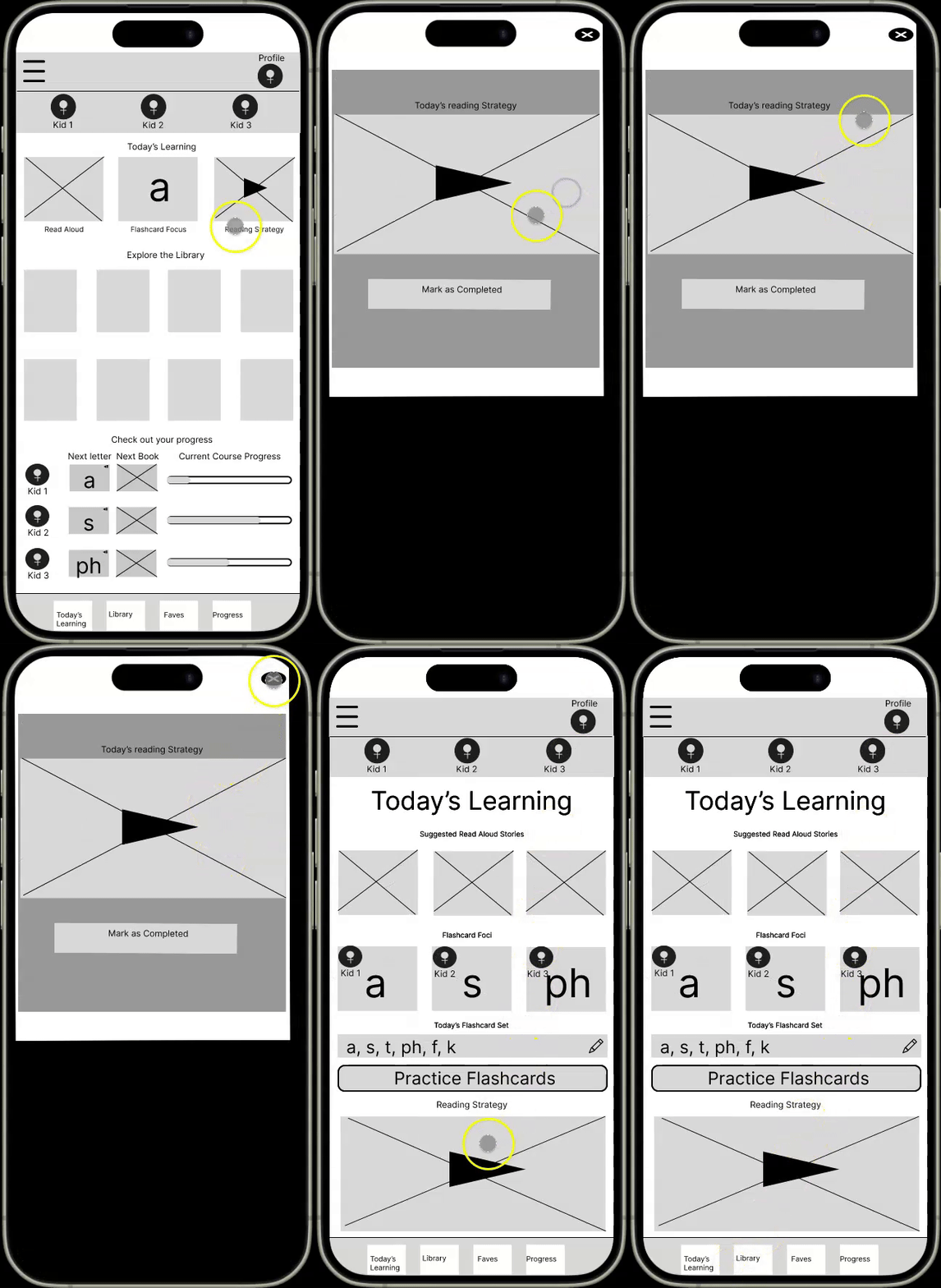
Reading Strategy
With the goal of employing a teach-the-teacher methodology, I created a simple video interface to upskill parents on pedagogy and literacy instruction.
Feedback
Parents found this useful but suggested that they might not want to watch a video, requesting a text summary of the lesson accompany the video.
Early Findings
Provide books suggestions for read aloud time.
Provide a reading strategy lesson text summary.
Replace the flashcard app with lists of sounds & letters to practice.
Parents were not confident in their knowledge of sound-letter relationships.
Design
The design phase translated the best ideas into visually appealing and functional layouts that cater to user needs.
- Developed high-fidelity mockups to present core app features
- Prioritized a minimalistic interface to reduce cognitive load
- Integrated accessibility elements like high-contrast text and audio options for sounds learning.
This phase produced a user-friendly design that attempts balances aesthetics with functionality.
At this point, designing shifted from Figma to Bubble to streamline the process.
.png)
The home page focused on navigation, providing a simple way to find the day's content.
.png)
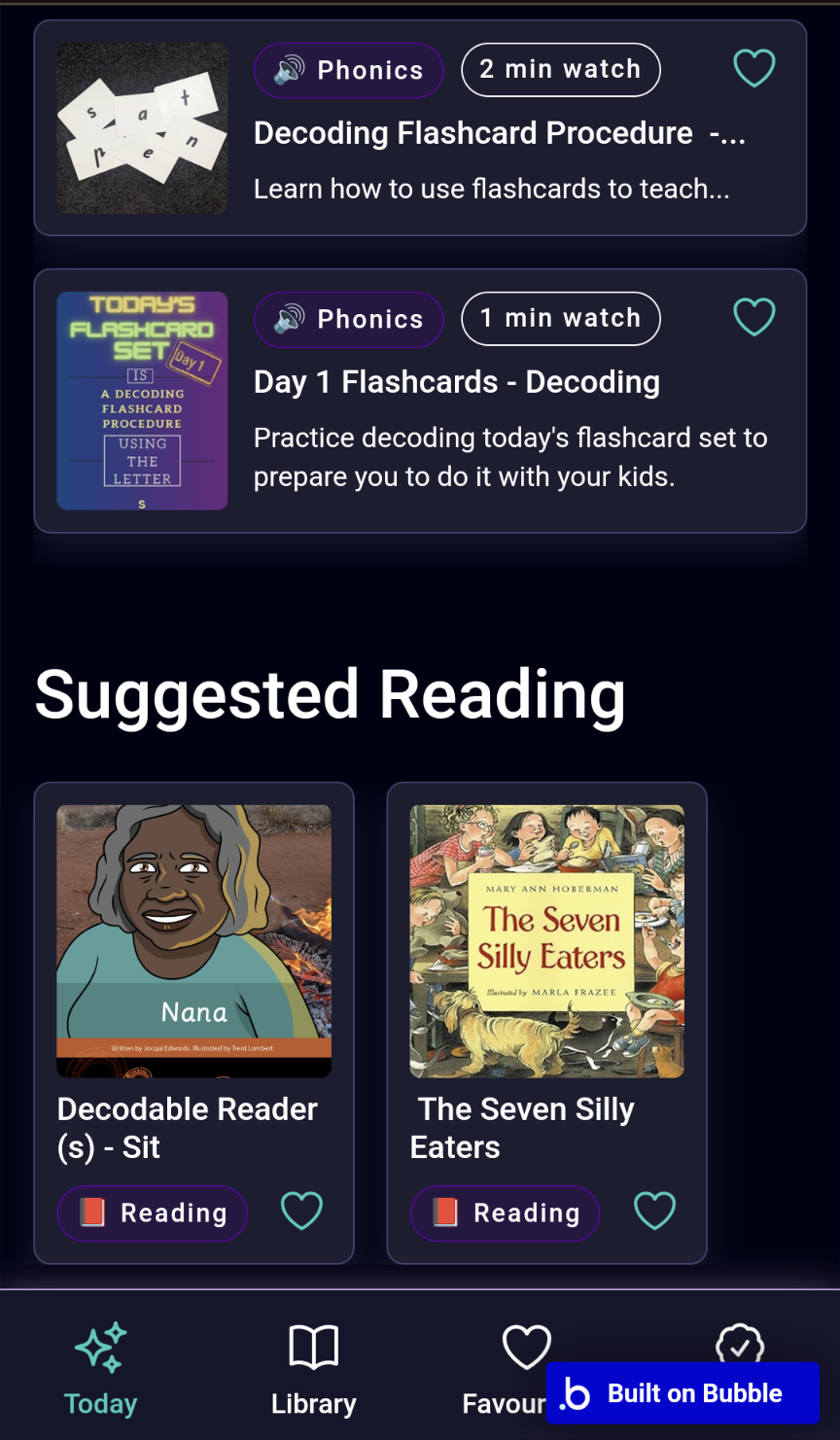
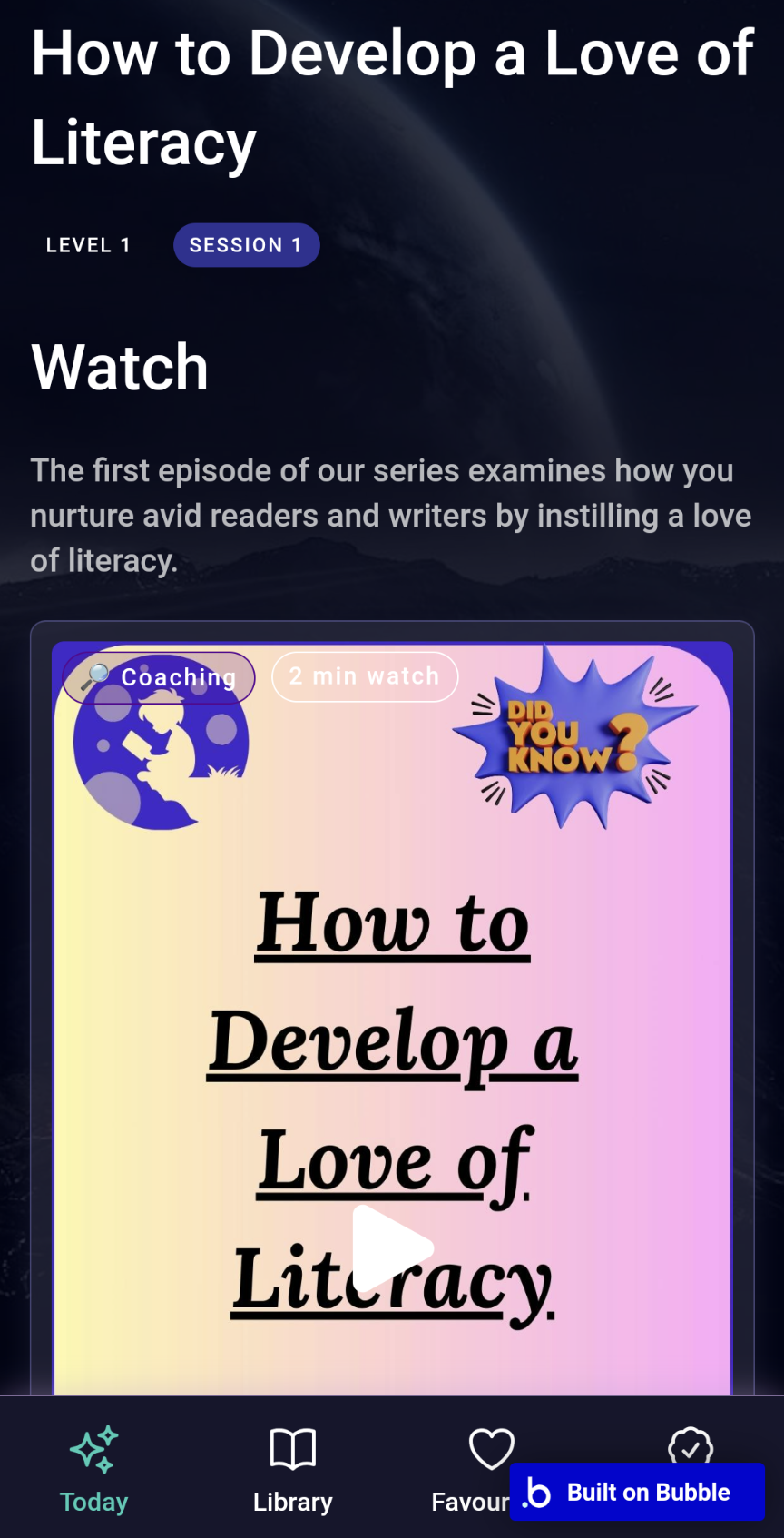
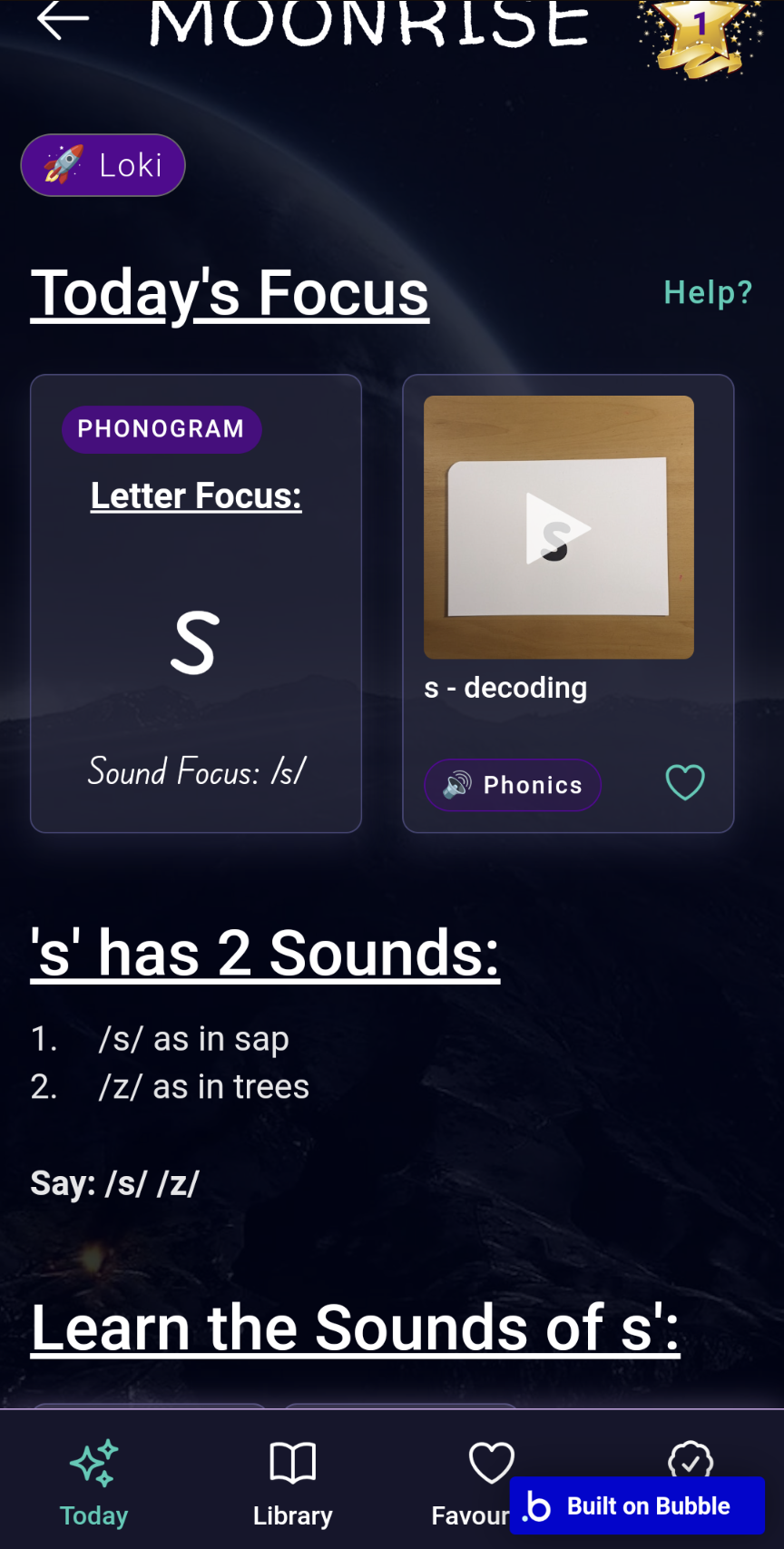
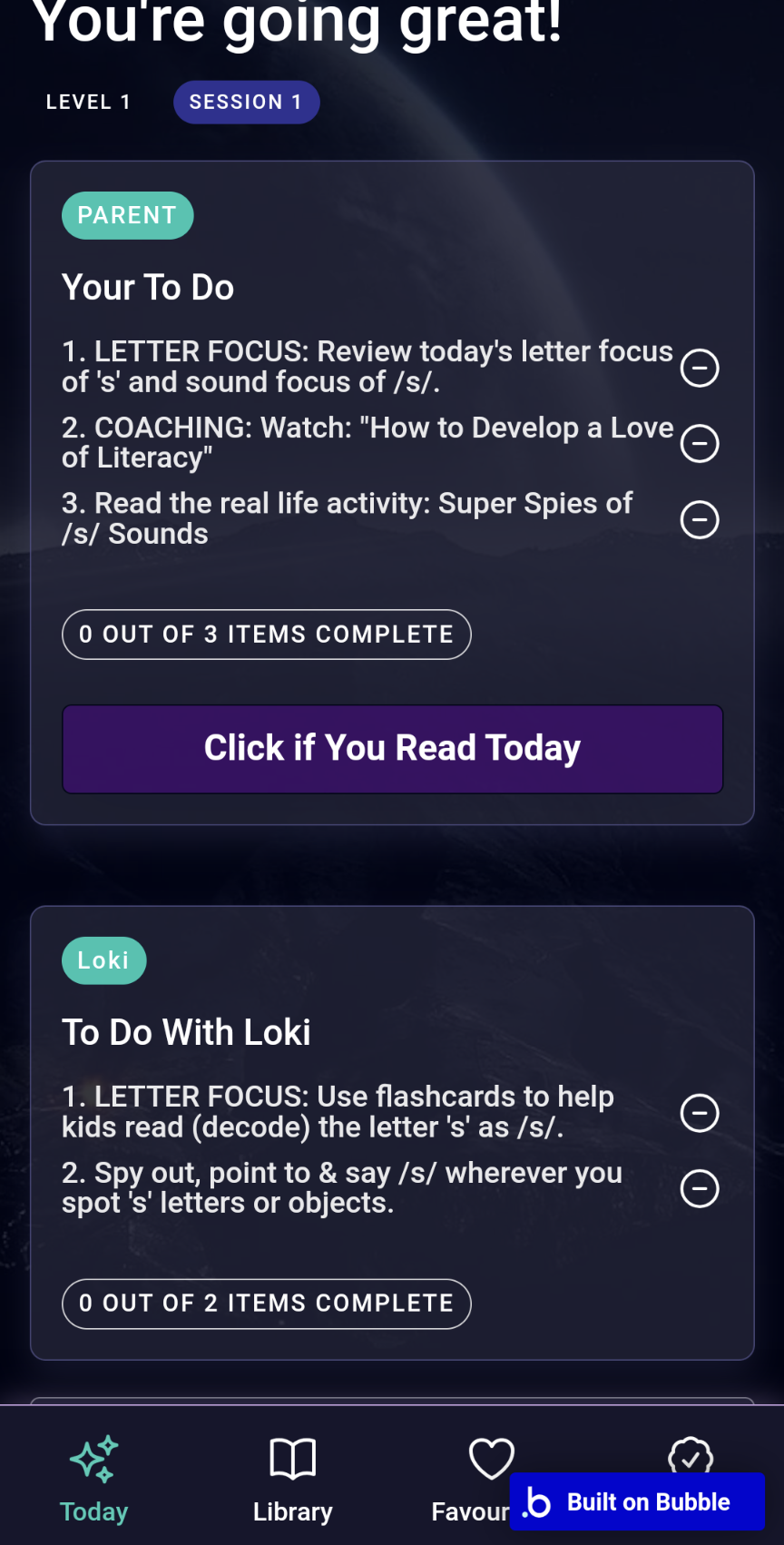
Prototype
A tangible prototype was built to test the app's core functionalities and user interactions. To prepare parents to deliver learning 2 streams of learning were created
- 'For Parents' learning was intended to upskill parents pedagogy and literacy skills, and included:
- Sound and Letter explanations
- Flashcard modelling
- Reading Strategy coaching
- 'With Kids' learning
- Flashcard Sessions
- Read Aloud Sessions
- Real Life Literacy Adventures
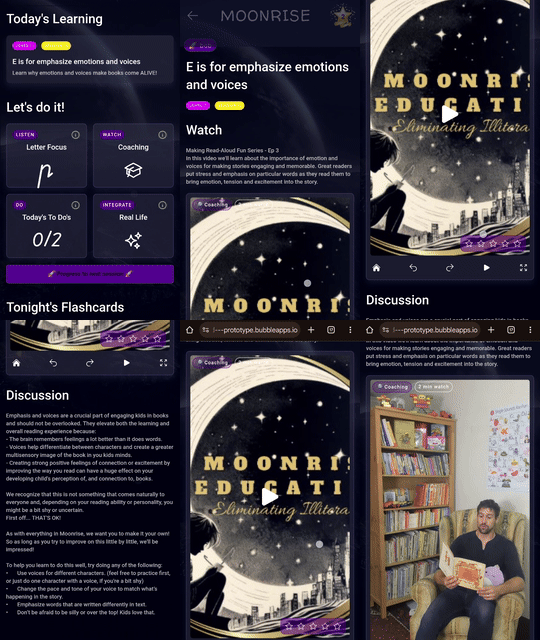
I Created a functional MVP to test ‘Today’s Learning,’ flashcards, and reading strategy videos
Enabled early testing of user flows and overall navigation
The MVP allowed me to test user flows and interaction patterns giving me a sound understanding of the user experience and identify areas for improvement. Iterations were made based on initial feedback, ensuring that the app’s structure not only addressed the educational challenges but also resonated with the day-to-day realities of its target users.
Test
Rigorous usability testing provided direct user feedback to refine and enhance the prototype.
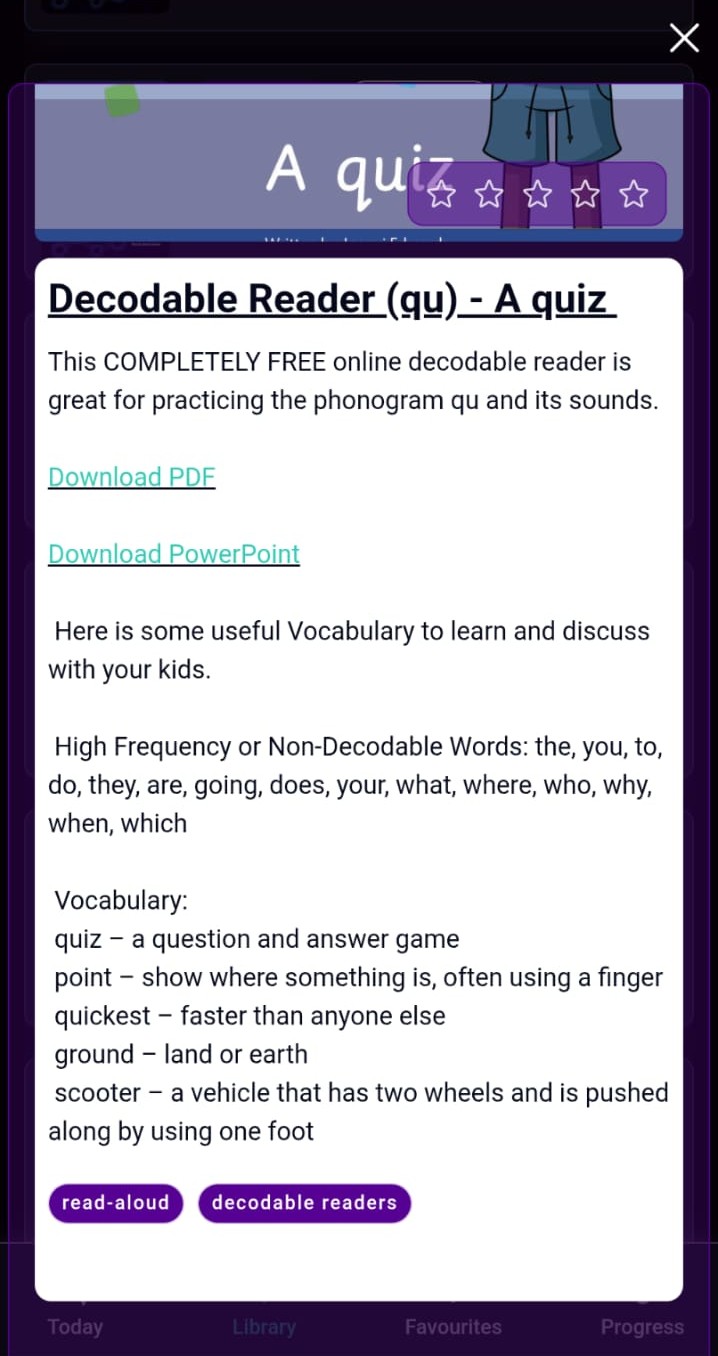
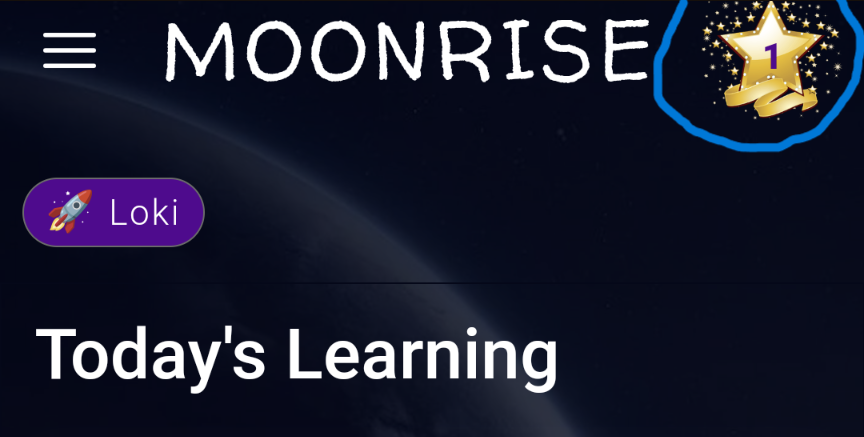
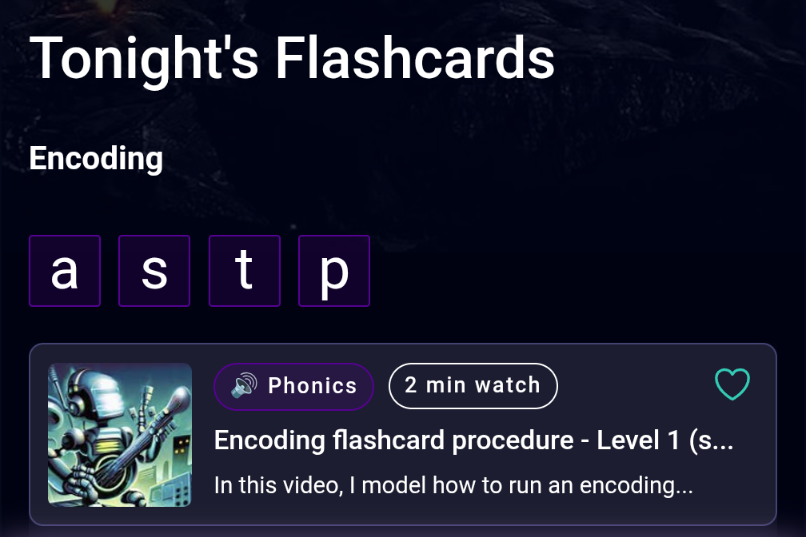
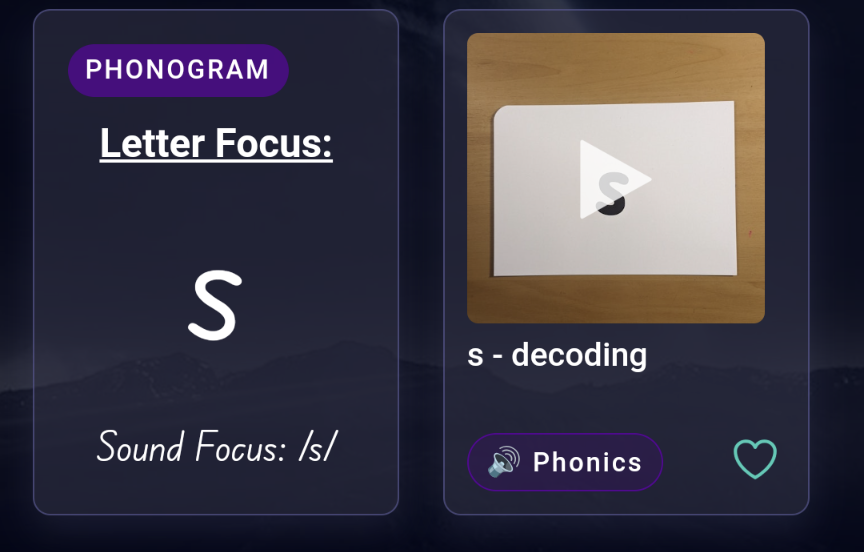
"We are really into the flash cards. Suddenly my girl can see letters everywhere - she’ll be in the middle of something and then she’ll cry out with excitement when she suddenly spots a letter!" - Mother of a 3yr old.
The tests provided valuable insights into what adjustments were needed to provide a smooth and valuable user experience
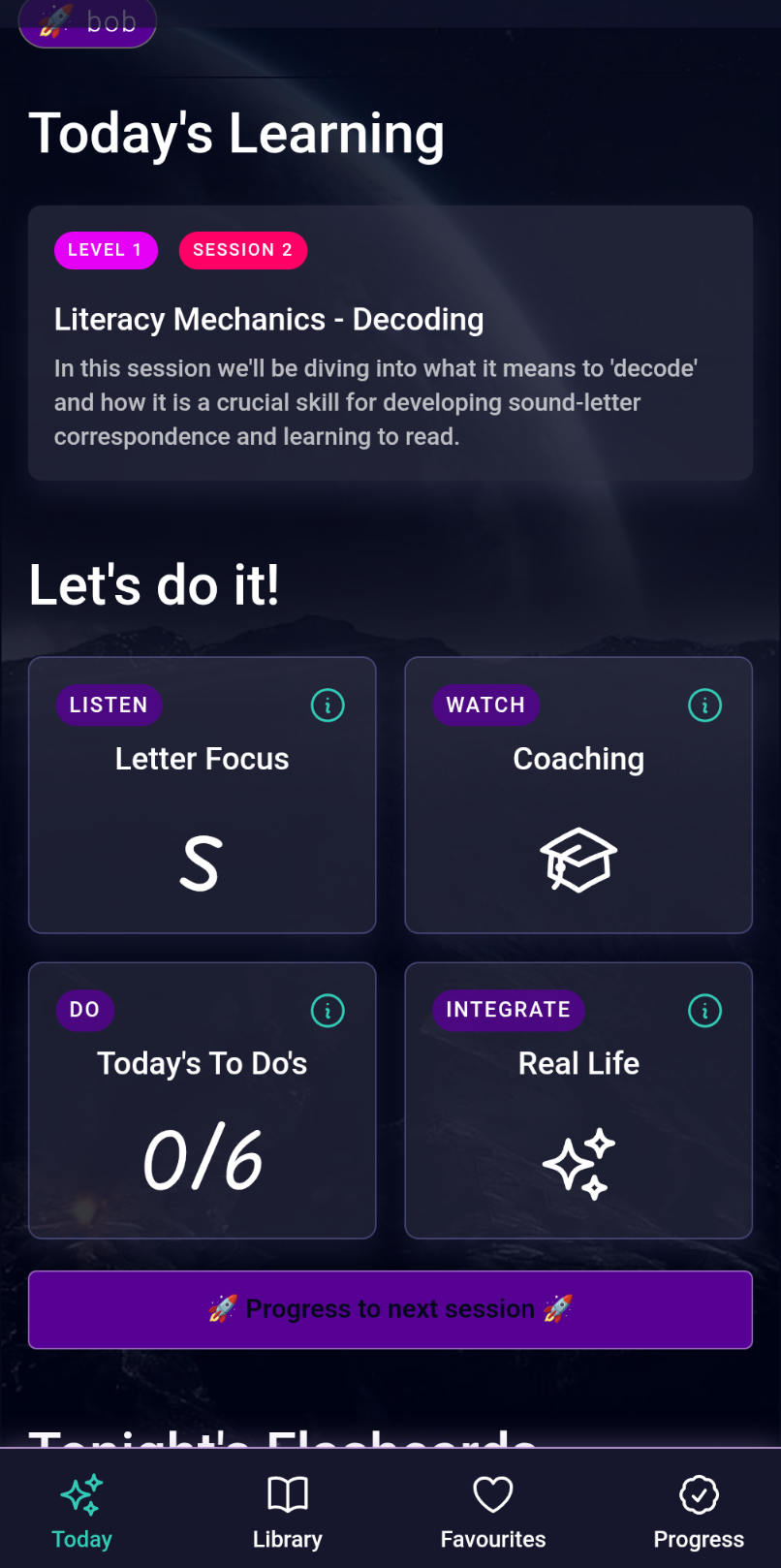
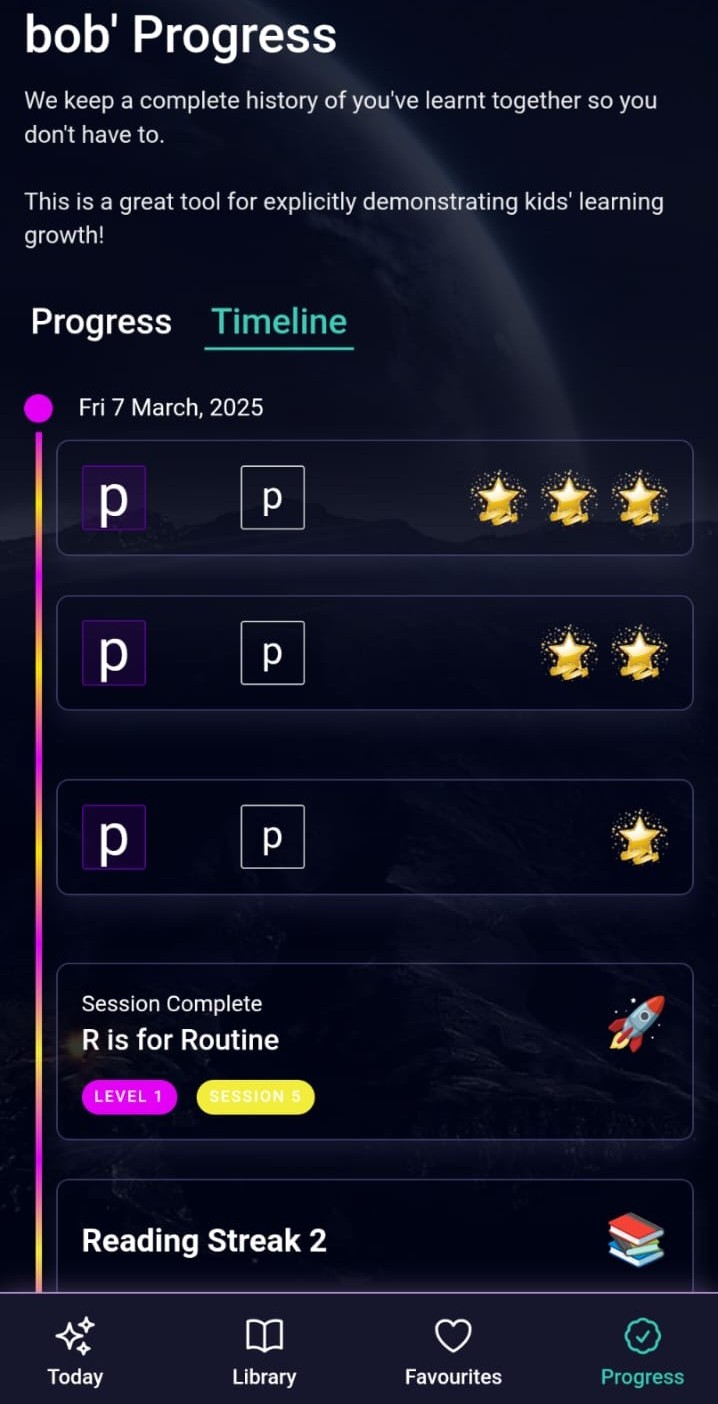
"It would be good to see how we're progressing to help reward and encourage my kids." - Father of 2 (2 and 4 years old).
Rigorous usability testing provided direct user feedback to refine and enhance the prototype.
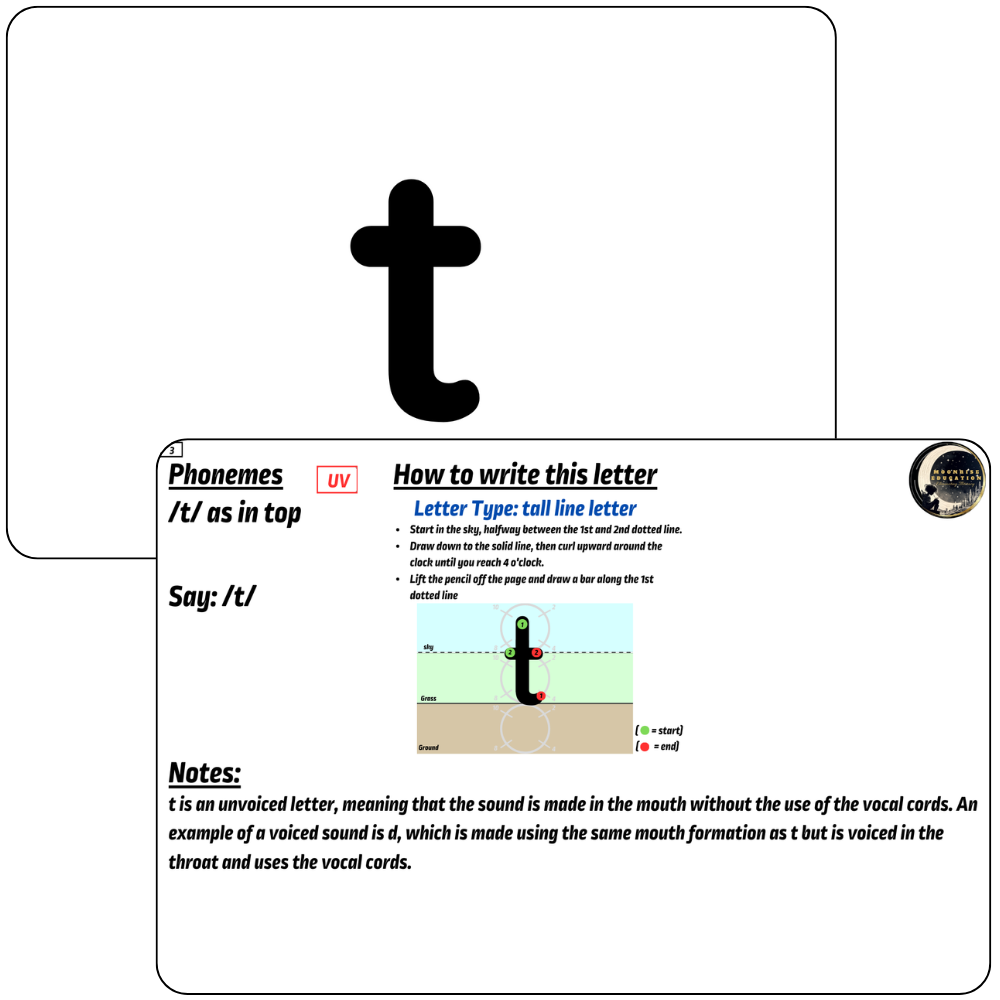
"We are really into the flash cards. Suddenly my girl can see letters everywhere - she’ll be in the middle of something and then she’ll cry out with excitement when she suddenly spots a letter!" - Mother of a 3yr old.
The tests provided valuable insights into what adjustments were needed to provide a smooth and valuable user experience

"It would be good to see how we're progressing to help reward and encourage my kids." - Father of 2 (2 and 4 years old).
Conclusions
Put the digital flashcard feature back into the app.
Provide a more clearly sequenced progression of learning.
Rework the UI to be more intuitive, encouraging natural user flows.
Provide better support to answer parents' queries and eliminate confusion.
Iterate
To address the issues and conclusions uncovered from the usability tests I conducted another design process.
I returned to Figma to build out a new UI and test my latest ideas. Throughout this design process I made the following changes:
- All Learning shifted to a 'Missions' page and adult learning would be provided as supporting videos and documentation, eliminating the two streams of learning and instead focusing on streamlining the delivery of literacy learning to kids.
- 3 simple tasks were clearly suggested to make navigation simpler.
- The digital flashcard feature was redesigned and reincorporated back into the app.
- Immediate competency capture was integrated into the flashcards with summary feedback given at the end of the session.
To address the needs of users and provide immediate, targeted support, the Home page displayed only an AI Chatbot interface so that users could quickly receive immediate answers to their questions.
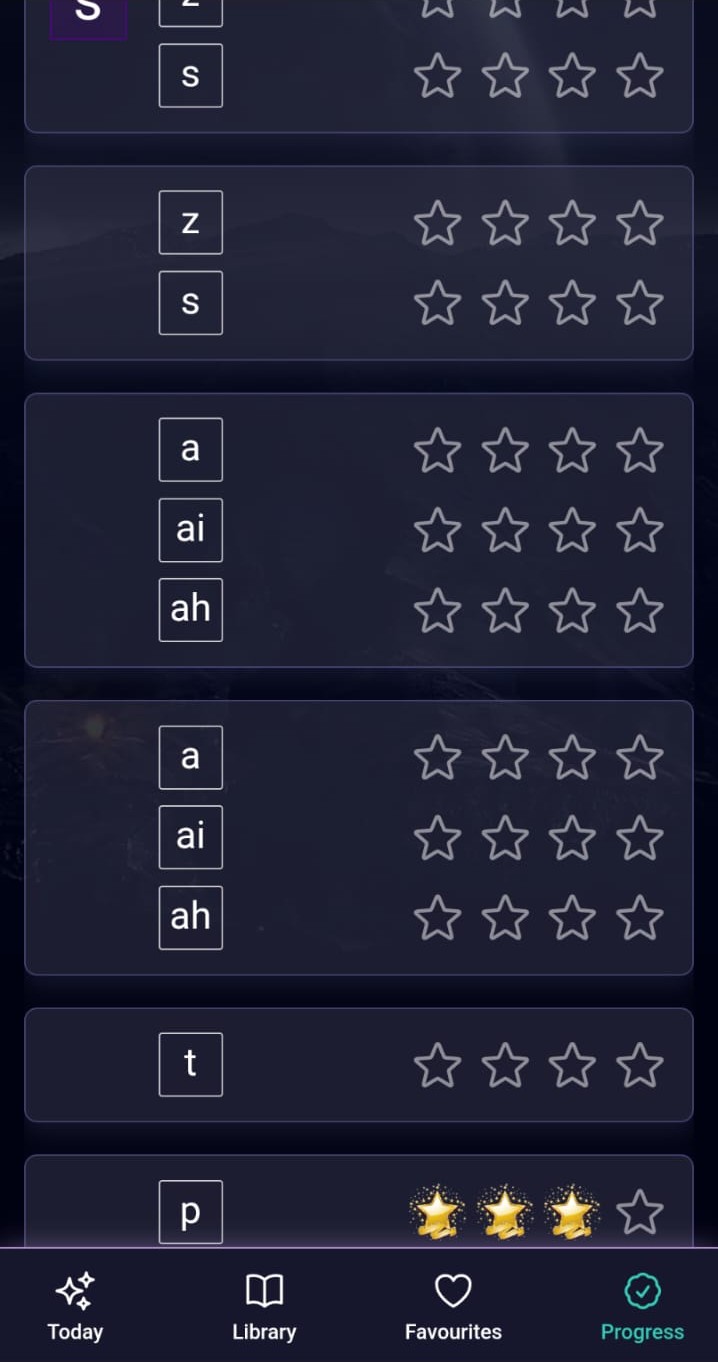
In Bubble, we quickly created and tested a progress feature that allowed users to record & track known sounds and letters and provided a history of learning.
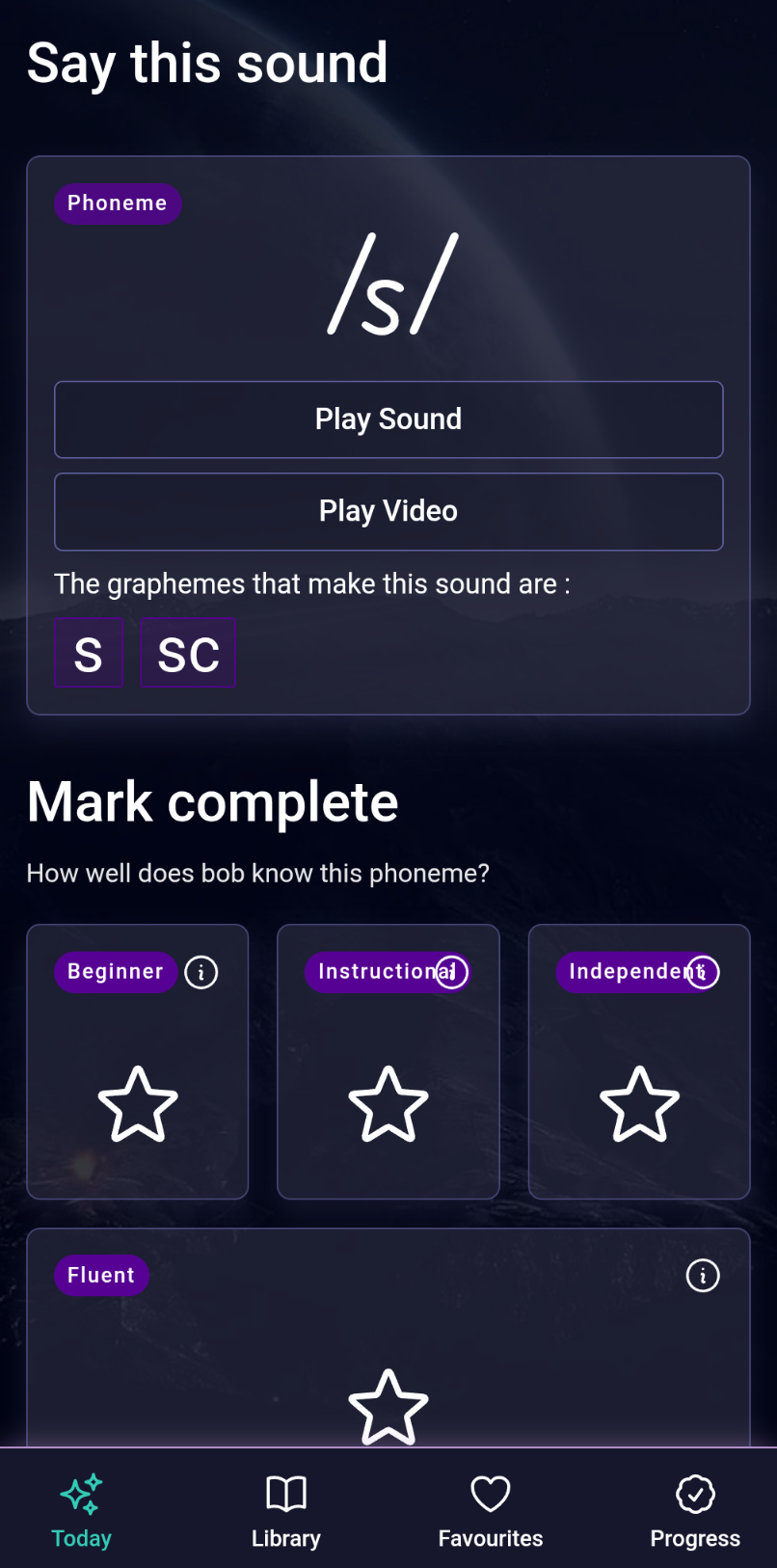
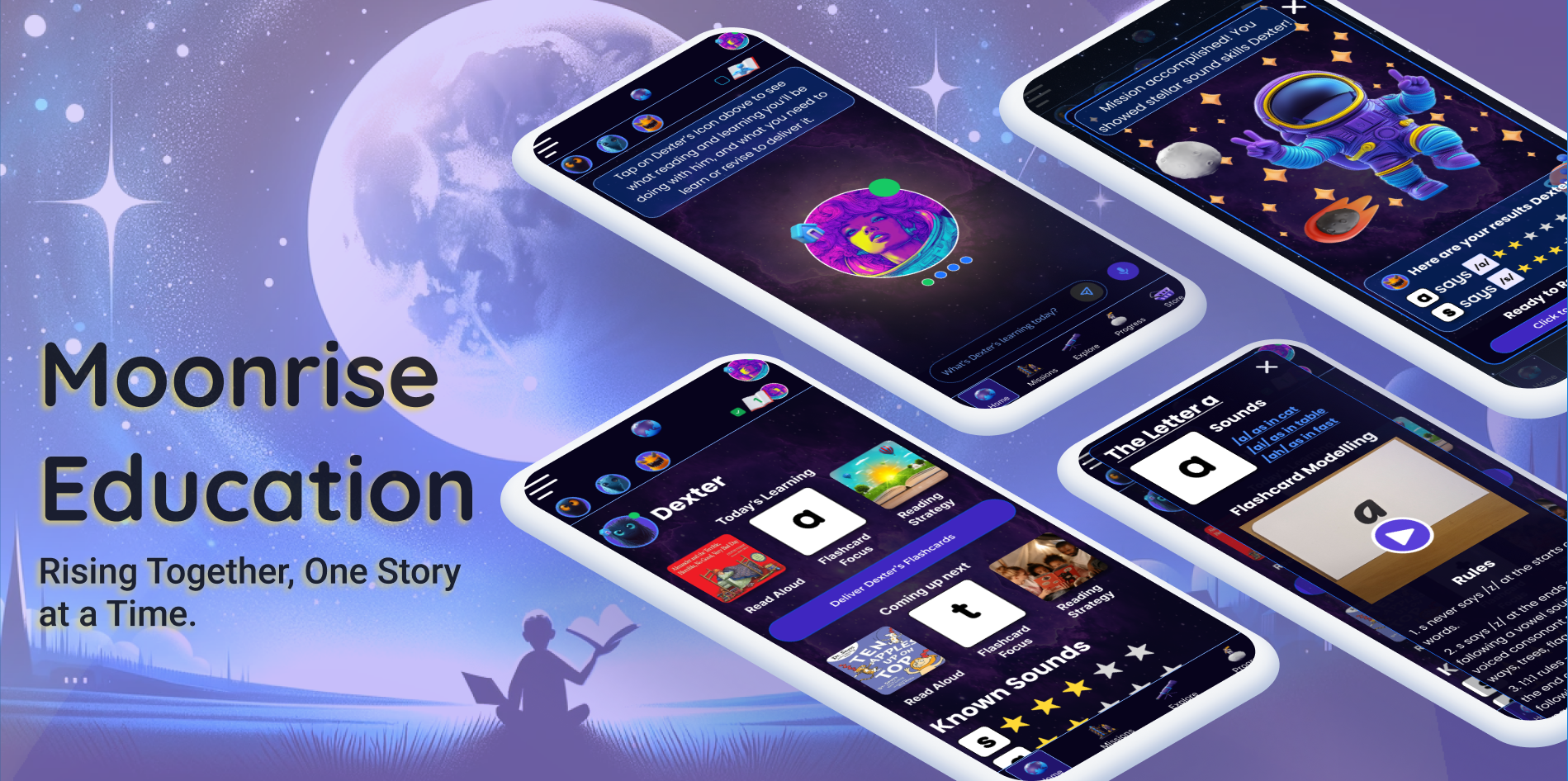
The Final Product
Whilst the final app is still under development, we were able to create a vibrant renewal of the UI and hone the UX so that users were quite enthusiastic about the app and the ease of use of its services.
Lessons Learned
Even with multiple user tests things can be missed that cause big changes down the road. It's very important to get the UI right before investing too much time in the UX and development as the UI often directs many of the UX and development choices.




Copyright © 2024 Chris Kloester